Advice for conference speakers in the AI era
As a follow-up to my post about the AI-generated slop talks I encountered at DEF CON villages this year (and how villages might try to address the issue), I wanted to share some thoughts on how I believe speakers can avoid delivering “slop talks” at future conferences.
Large Language Models (LLMs) have certainly lowered the barrier to entry for crafting what sounds like a compelling talk—but there is still a clear distinction between a good talk and an AI-generated slop talk. As someone who has delivered talks globally on a variety of topics, below is some of the advice that I, and other industry-leading experts, would give to people trying to leverage AI for their next conference talk.
And before anyone tries to accuse me of using AI to write this blog post: these em-dashes, colons, semicolons, and so forth have been painstakingly crafted by hand 😜
The abstract: tell your story
Part of what makes a good abstract is that it tells the story of your talk. You need to setup the problem statement, the journey, and ideally provide a hint at the outcome or lessons learned from the experience. It also helps the audience decide which talk they want to attend—so give the audience a reason to come to your talk.
After publishing my previous blog, I had the chance to chat with HD Moore about this. He shared some sage wisdom from having delivered literally hundreds of talks, and admitted that he felt like he’s only recently discovered what it takes to deliver a solid talk that lands with the audience:
most folks are there to hear a story about some fun hacker stuff, so don’t make it up, or do a book report, but also map your technical work into how you actually felt about it as you went, what the drama/obstacles were/etc – the things you won’t get out of reading a paper later
– HD Moore
And this is exactly why you want to avoid having an LLM write the abstract on your behalf. First of all, LLM-isms are becoming increasingly easy to spot. Secondly, it’ll read like soulless prose if it doesn’t portray the story in ways that only a human can.
A really easy rule to apply here is that, if you can’t write the first draft of an abstract without having an LLM do it for you, then you probably shouldn’t be giving the talk.
That said, if you can draft your own version of the abstract, it’s perfectly fine to have an LLM provide critical feedback for areas where you could improve. For example, an LLM might help make the talk concepts flow smoother, punch up the language, and/or reduce wordiness. It might also suggest other sections worth including, like who the target audience is—or what the audience should expect to takeaway from the talk.
Your slides: don’t generate them “whole cloth”
The fastest way to get accused of delivering an AI-generated slop talk is to present a series of slides that are wholly generated by an LLM. It’s really easy to do this with tools like Genspark.AI and Google’s Nanobanana, and the results often come out looking uniquely market-y. For the amount of effort (and tokens) it takes to create slides that don’t feel like visually empty calories, you’re probably better off generating backgrounds and custom artwork.
The one exception where I think most audiences are willing to give speakers a pass for using an AI-genereated slide is with the cover slide. This sets the tone for a talk, and is often used as “cover art” if the conference is publishing a recording of the talk to YouTube. Here’s an example of the AI-generated cover slide I used (with minor additions) at BSidesSF earlier this year:
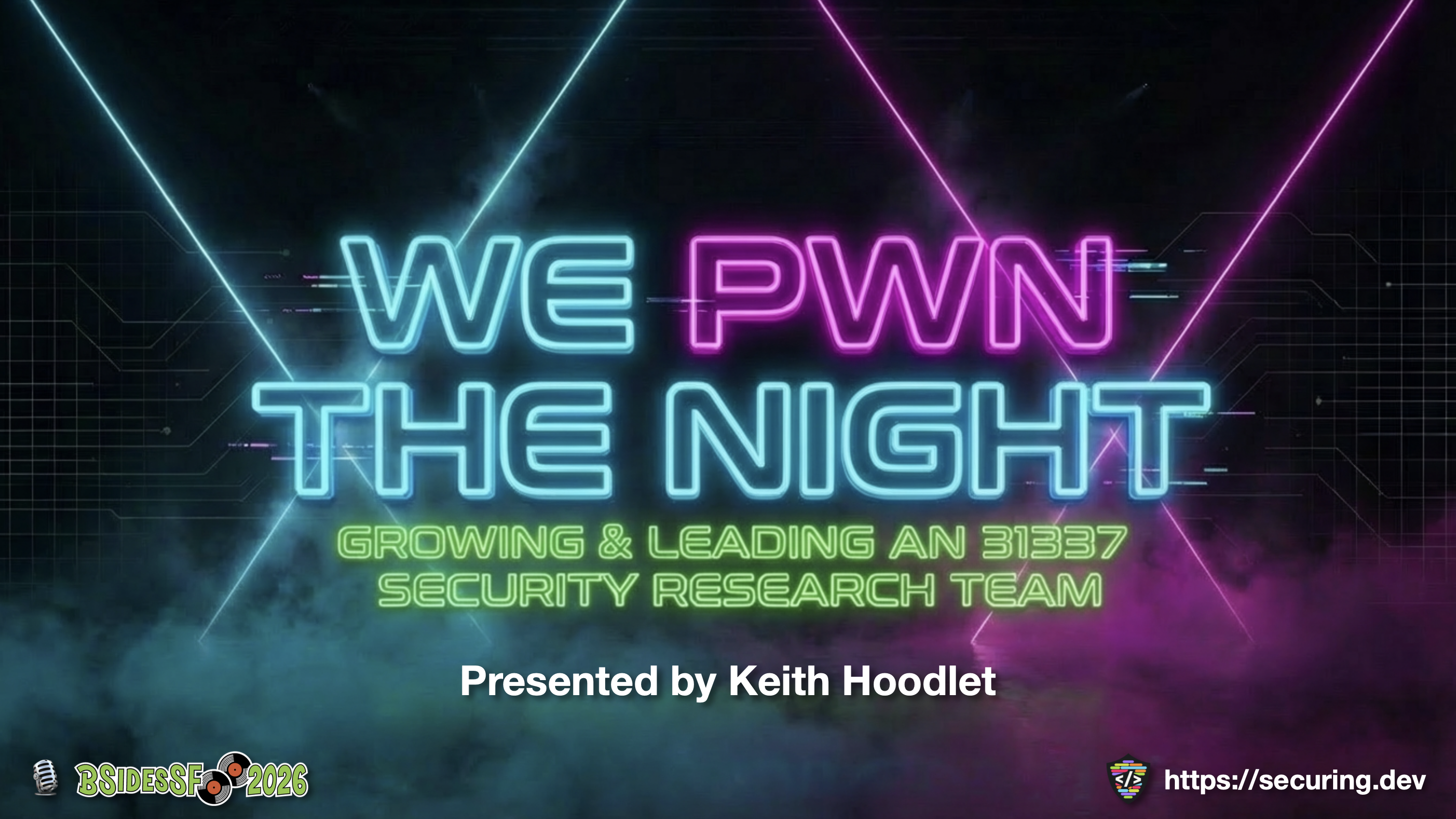 This talk is available on YouTube
AI-generated diagrams, charts, and artwork: use with caution
In our conversation, HD also shared with me that a number of the diagrams from his 3 recent talks ended up with “some flavor of slop” in them. This, unfortunately, is still a common occurrence when using an LLM to generate graphics that include text. To address this, he shared some good advice—which is to remove as much of the text as possible and then talk through the diagrams/pictures/etc. directly.
I’ve found that this issue can also be addressed by having an LLM generate a website version of the diagram/chart/graph/etc. I want to use. I’m told that LLMs write solid Reveal.JS code, and doing something like this lets you directly manipulate the text in an editor before screenshotting the website and using the graphic in a slide. The image doesn’t come out as uniquely eye-catching as a fully AI-generated graphic, but at least the content is slop free 🤷
When it comes to using AI-generated artwork, I recommend using it sparingly in order to avoid the “slop talk” label. You can still use unique and eye-catching artwork every few slides, but in general you should target the volume of real vs. AI-generated content you’re using at less than 1/2, and probably less than or equal to 1/3rd of your slides. This ratio of human vs. AI-generated content is a strong indication for your audience about how much effort you put into your slides, which is used as a proxy for how much you care about the audience’s experience when they watch the talk.
That said, using AI-generated backgrounds is generally a more acceptable practice so long as you show some discretion.
AI-generated slide backgrounds: avoid “busy” images
In order to “set the mood” for the audience, I’ve used AI-generated backgrounds for two of the last three talks I delivered. For example, the slides for my talk at TNG Big Techday in Münich were intended to give the audience an impression of the “cyberpunk dystopian future” it feels like we’re walking right into with AI. The theme was heavily inspired by Blade Runner, as you can see in this example from one of the backgrounds I generated, sans-text.
 This talk is available on YouTube
The key to generating good background slides is that you want to avoid having too much going on with them. I made this mistake with some of the yellow-colored backgrounds for my talk at BSidesSF, which seems to have turned out fine in retrospect—but still, the goal is that you don’t want to distract from the points you’re making with each slide.
What’s nice about using LLMs to generate your cover slide is that you can usually use the same process to generate a series of themed background slides with the same context. Aim for somewhere between 9 and 12 variations for slide backgrounds to keep things fresh, and then set them up as a template within your presentation tool of choice and go to work.
Speaker notes: don’t generate these
One thing you should definitely not generate is your speaker’s notes. Your voice, and the way you tell the story of your experience(s), is something that is uniquely yours. To debase that with AI-generated notes will almost certainly regress the quality of your talk to something average at-best. At worst, you’ll come off sounding cold, distant, and robotic.
I recommend trying to draft your notes as bullet points with very few words, or short sentences with a few bold words per line, along with plenty of white space—such as extra lines between bullets. It makes the text easier to read, although I generally recommend avoiding reading directly from your speaker’s notes when presenting.
That said, you can certainly use AI to help transcribe your speaker’s notes into something useful, and to get a head start on that you’re going to need to record yourself delivering the presentation at least once. Which brings me to the next piece of advice.
Delivery: practice and record the talk a few times
Practice delivering your talk at least 2-3 times before you present on stage. Try doing this without speaker’s notes the first time, and record the audio using something like AudioHijack or QuickTime. Then, listen to the audio recording of your talk as you walk through the slides and update the speaker’s notes as you go.
Alternatively, you can also use something like MacWhisper (or similar apps) to take the audio of your practice session and turn it into a transcript. Then start clipping parts of the transcript into your speaker’s notes, and refine these as you add them.
After you’ve written a first draft of speaker’s notes, go back through this process again and listen to your second recording to see how it flows. You might find that your second recording requires further updates to your speaker’s notes, which may warrant a third recording for practice.
Personally, I’ve gone through this loop as many as 5 times for a given talk. A person’s level of comfort with public speaking, and confidence in hitting the talking points, will likely vary from talk to talk. Be patient with yourself, and make sure you schedule enough prep time on the calendar to ensure you’ll “knock it out of the park” when you deliver the talk on stage.
HD shared some final thoughts about what he believes it takes to deliver a good talk in 2026, which I’ll leave you with here:
it feels every talk is three deliverables now – 1) the actual work (whatever results in code, paper, datasets). 2) the TED-talk-eque entertainment track (fortunately tracks are getting shorter) and 3) that thin edge of technical work meets presentation that you can’t ignore or fuck up (or it undermines everything else), but will have a tiny audience that actually cares about it
– HD Moore
I want to say thank you again to HD for taking the time to share some of his thoughts with me. I also want to give a special thanks to Dane, Natalie, Olivia, and Roni for reviewing this blog and providing feedback ❤️ While I consider my next blog post, you can git checkout other (usually off-topic) content I’m reading over at Instapaper.
Until next time, remember to git commit && stay classy!
Cheers,